

Starting a brand is hard enough without your merch letting you down. Whether you’re a solo founder outfitting your team, a small business owner building brand identity, or an event planner putting logos on shirts for a fundraiser, the decisions you make upfront determine whether your shirts build credibility or quietly damage it.
Most people jump straight into design without understanding costs, print methods, material choices, or timelines. That’s how you end up with a box of shirts you can’t hand out. This guide walks you through how to make your own shirts the right way, from blank selection to proof approval, so you get professional results on your very first order.
Why Custom Shirts Are a Real Business Decision
Branded apparel is a visual signal. Investors, clients, and event attendees form impressions quickly. A pixelated logo on flimsy fabric says something about your standards whether you intend it to or not.
The same logic that applies to a pitch deck applies here. Every detail counts. Getting your shirts right from day one means lower costs, less waste, and a finished product that works for your brand.
Who Is This Guide For?
This guide is for small business owners, startup founders, event planners, nonprofits, and brand creators placing their first shirt order. It covers fabric, design file specs, printing methods, costs, and timelines so you go in knowing exactly what to expect and what questions to ask.
If you’ve been confused about print methods, unsure what 300 DPI means, or worried about minimum order quantities, this guide answers all of it in plain terms.
Step 1: Define Your Purpose Before You Design Anything
Are Your Shirts for Business, Events, or Personal Use?
Business shirts need consistency and durability because they will be worn repeatedly and seen by clients. Event t-shirts need visual punch that photographs well. Merch shirts have more creative room. Your use case shapes every decision that follows, including fabric weight, print method, and order quantity.
A restaurant putting staff in branded uniforms needs washfast colors and pre-shrunk fabric. A nonprofit running a 5K needs bold front chest prints that read fast in photos. A startup handing out company swag needs a shirt people will actually wear again. Define the goal first, then design around it.
Step 2: Choose the Right Blank T-Shirt
Fabric Types and Why They Matter for Print Quality
The garment blank you print on affects how the design looks, how long the print lasts, and how the shirt wears. Ringspun cotton gives a smooth surface that holds ink cleanly. A cotton-polyester blend resists shrinkage. Tri-blend fabric is lightweight and soft. GSM fabric weight, or grams per square meter, tells you how heavy or light the shirt feels.
For most business use, 160 to 180 GSM hits the right balance. Bella+Canvas 3001 and Gildan 5000 are industry-standard blanks. They’re consistent, widely available, and print-tested at scale.
When ordering for groups, build a size distribution before you check out. Skipping this step is one of the most common and most avoidable first-order mistakes. Most adult groups lean heavier on mediums and larges.
Step 3: Create a Design That Looks Professional
Use the Right Design Tools
Canva’s online t-shirt maker is the most accessible starting point for beginners. Adobe Illustrator is the industry standard for vector artwork. If you already have a logo, get the vector source file before uploading anything to a printer. A JPEG won’t print cleanly at large sizes.
Typography, Color Theory, and Placement
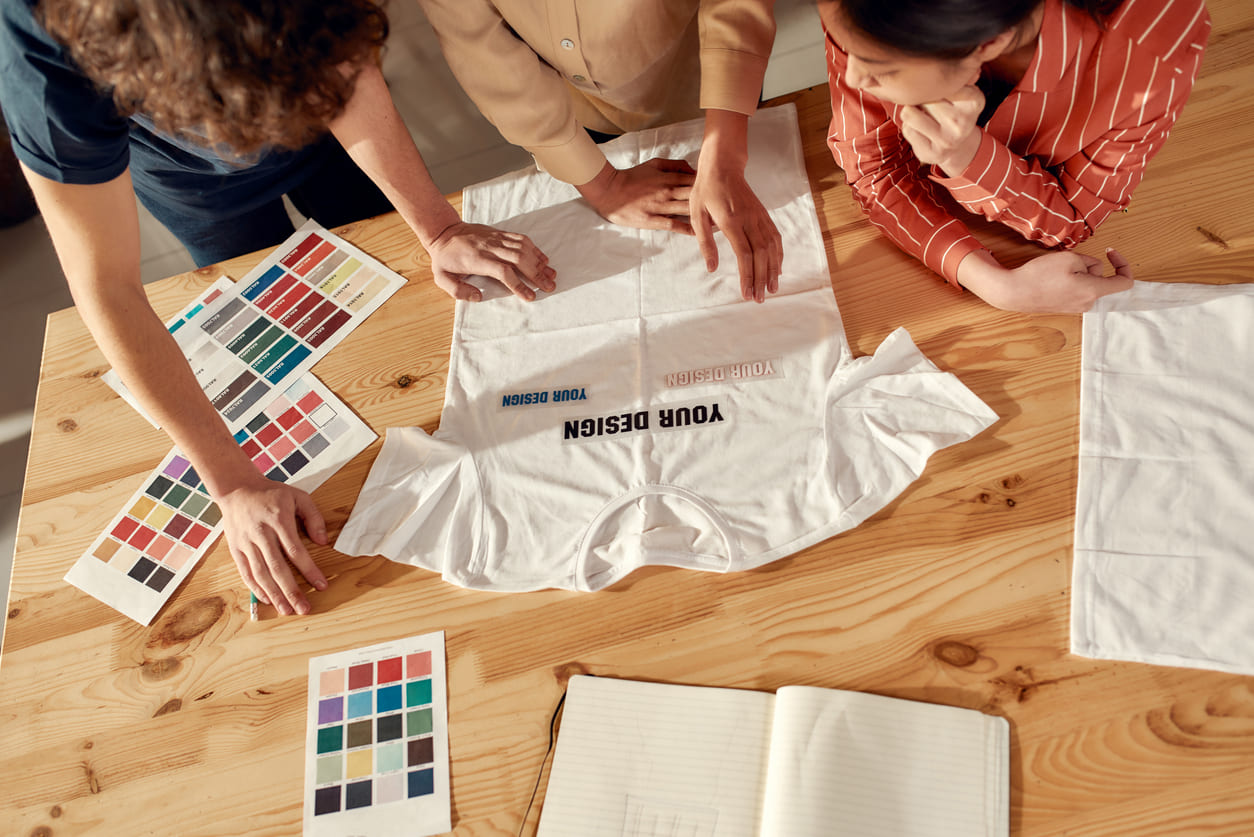
Use bold, clean sans-serif fonts. Avoid decorative fonts that lose legibility on fabric. For color, think in terms of contrast, light ink on dark shirts and dark ink on light shirts. CMYK is the color profile used in professional printing. If your brand uses Pantone colors, match them by number to avoid color mismatch.
Placement options include front chest print, back print, left chest logo, and sleeve print. Most business shirts use a left chest logo for a clean, professional look. For events or merch, a full front design gives maximum visibility.
Design File Specs: Resolution, Format, and Bleed
Your design file needs to be at 300 DPI minimum. Low-resolution files produce pixelated designs, one of the most common beginner mistakes. Save your artwork as a PNG with a transparent background, an SVG, or a print-ready PDF. Vector artwork is always preferred because it scales to any size without quality loss.
Step 4: Pick the Right Printing Method
The right print method depends on your order size and design complexity.
| Method | Best For | Min. Order | Avg. Cost/Shirt |
| Screen Printing | Bulk, simple designs | 24+ units | $5 – $10 |
| DTG Printing | Complex, full-color designs | 1 unit | $15 – $25 |
| Heat Transfer / HTV | At-home, small batches | 1 unit | $3 – $8 |
| Sublimation | All-over print, polyester only | 1 unit | $12 – $20 |
Screen printing uses mesh screens with plastisol ink per color layer and delivers durable results at scale. DTG, or direct-to-garment, prints digitally onto the fabric and handles photographic designs with no minimum order. Heat transfer vinyl and iron-on transfers using a Cricut machine give you an at-home printing option for small runs. Sublimation only works on polyester but covers the full garment surface. Embroidery adds a premium finish for logos on polos or structured caps.
For first-time business orders under 24 units, DTG is the safest starting point. Above that, with a simple design, screen printing brings your cost per unit down significantly.
Step 5: Find a Reliable Printing Partner
Ask for samples before committing to a large order. Check customer reviews for print quality and color accuracy. A reputable printing company will offer free proof approval before production starts. Never skip that step.
Standard production runs 5 to 7 business days. Shipping adds 2 to 5 days on top of that. For any event order, budget at least two full weeks from order to delivery. Red flags include printers who won’t send proofs, vague pricing, or no satisfaction guarantee. Services like Printful, Bonfire, and VistaPrint are reliable starting points for online orders.
Step 6: Approve Your Proof Before Anything Prints
Always review a digital mockup before approving production. Tools like Placeit and Printful’s mockup generator show exactly how your design sits on the shirt, including scale, placement, and color against the fabric. Check everything: alignment, spelling, color accuracy, and file resolution. Once you approve, changes cost money.
How to Care for Your Shirts So They Last
Wash printed shirts inside out in cold water. High dryer heat breaks down ink faster than anything else. For screen-printed shirts, air drying extends print life and color preservation. These aren’t optional suggestions. They’re how you protect the investment you made in professional print quality from the start.
Ready to Place Your First Order?
You now have a clear path from idea to finished product. You know which fabric holds ink best, which printing method fits your order size, what your design file actually needs to look like, and how to vet a printing partner before you spend a dollar.
The difference between shirts that look professional and shirts that sit in a closet comes down to these decisions. Make them carefully, and your first order becomes your best brand asset. When you’re ready to take the next step with custom t-shirts that represent your brand the way it deserves, look for a printer that offers free proofs, a satisfaction guarantee, and transparent pricing from the start.
Good shirts don’t just look sharp. They tell people your brand means business.
Frequently Asked Questions
How much does it cost to make custom t-shirts?
Screen printing runs $5 to $10 per shirt at 24+ units. DTG costs $15 to $25 for small runs. Cost per unit drops with higher quantities across all methods.
What’s the minimum order?
DTG, heat transfer, and sublimation have no minimum. Screen printing typically requires 12 to 24 pieces to justify setup costs.
What file format do I need?
SVG or vector PDF is best. PNG at 300 DPI with a transparent background is also accepted by most printing services.
What’s the difference between screen printing and DTG printing?
Screen printing uses physical ink screens and works best for bulk orders with simple designs. DTG prints digitally and handles complex, full-color artwork at any quantity.
Can I print shirts at home?
Yes. A Cricut machine or heat press with heat transfer vinyl lets you produce shirts at home for small batches or single pieces.
Are there eco-friendly options?
Yes. Water-based inks, organic cotton blanks, and OEKO-TEX certified materials are available through several printing services.